AMOTIONS AI FAQ
Amotions AI FAQ: live coaching, roleplay, scorecards, and buying questions
Answering: How does Amotions AI live coaching, roleplay, and pricing work?
Amotions AI is a real-time AI sales coach for customer-facing teams. This FAQ answers how to start, how live coaching works on a computer, how roleplay and scorecards work, what is integrated today, and how published plans are priced.
Published Last reviewed By Pianpian Xu Guthrie, Founder and CEO
Quick answer
- Getting started
- Start free on Basic at /signup, or book a walkthrough at /pricing/contact. Jump to the sections below for live coaching setup, roleplay, scorecards, CRM, and plans.
- Live coaching setup
- Real-time AI runs on computers (desktop app, Chrome web app, or Zoom app), not as a mobile-phone app. Phone or dialer desks can still be coached when a computer listens via speaker. See /download.
- Pricing
- Published prices: Basic is free. Starter is $49 per seat per month billed annually ($59 billed monthly) with 11 hours of real-time AI coaching a month. Professional is $99 ($109 monthly) with 23 hours, Advanced is $189 ($199 monthly) with 44 hours, and Power is $349 ($369 monthly) with 81 hours. Enterprise pricing is custom. Full plan comparison is on /pricing.
Search the help center
Step-by-step answers on setup, live suggestions, playbooks, call scores, and plans. Or browse all help guides.
Live coaching and meeting support
How do I use the desktop to listen in conversations and get live coaching?
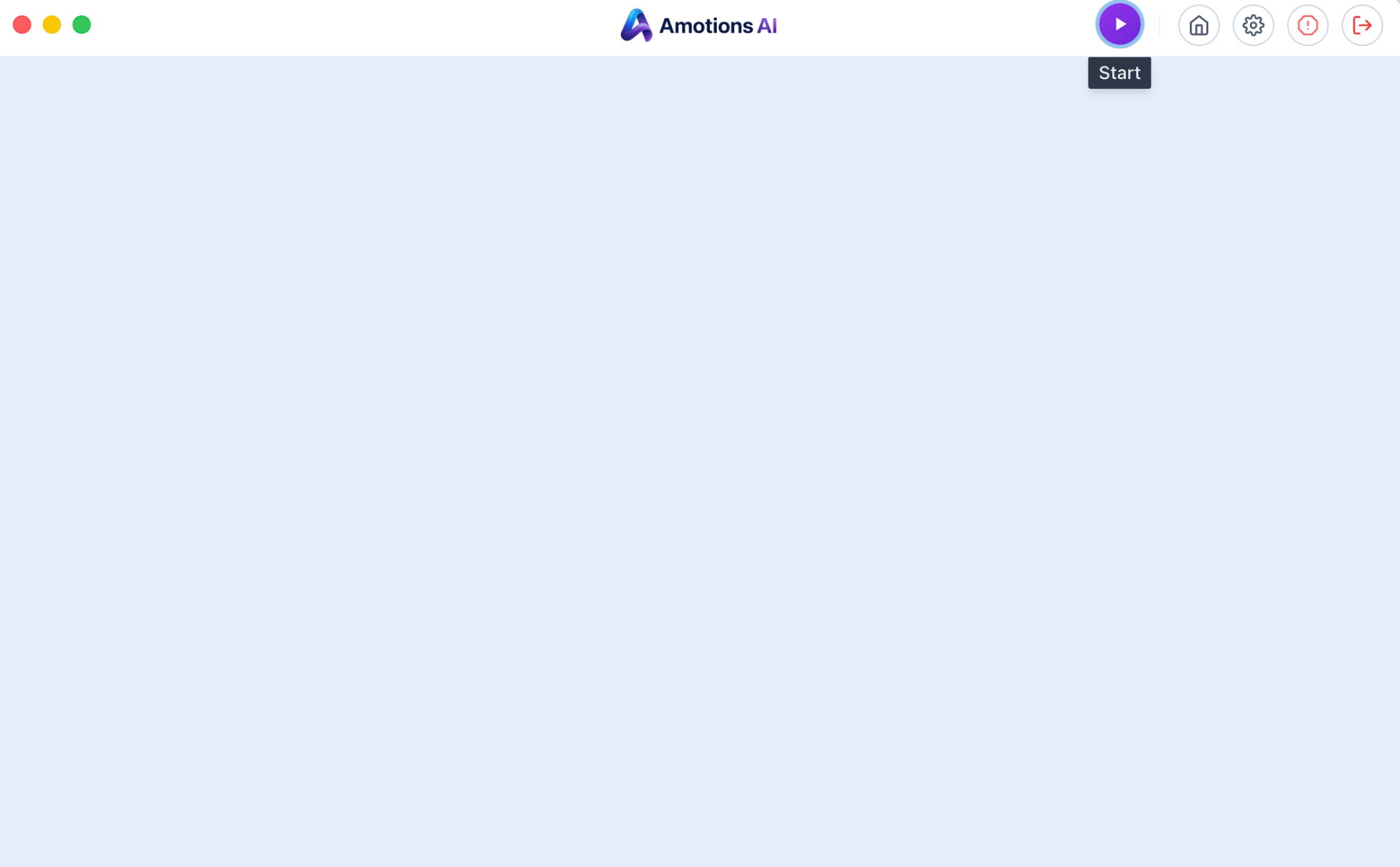
The purple triangle in the top-right of the desktop app is the Start button. Click it to begin listening on phone calls, dialer calls, and in-person meetings, or if the app does not start automatically on a video call.
Does real-time assistance work during actual live conversations (not just practice)?
Can I use Amotions real-time AI on a phone?
Which client should I use for live coaching: desktop app, Zoom app, or browser?
How do I use Amotions AI live coaching in a web browser?
Why isn’t the browser coach hearing the other person on my call?
Can I use Amotions AI without installing the desktop app?
Can you score in-person / face-to-face sales meetings?
How do I change how often Amotions AI shows live suggestions?
Can Amotions AI follow my call structure and track what I have covered?
How is real-time coaching different from call recording software?
Getting started
How do I start a free Amotions AI trial?
Where can I see a demo?
What is Amotions AI?
What can Amotions help sales teams practice?
Does Amotions support AI roleplay?
Can Amotions score mock calls?
Who is Amotions AI for?
AI roleplay, scorecards, and post-call feedback
Where do I see my call scores in Amotions AI?
Can sales managers see their team’s calls?
Do you support AI roleplay with customized scenario creation?
Can we use our existing sales rubric?
Can we customize the scoring criteria?
Can we customize scenarios around our sales process?
Can I get AI feedback and a scorecard after every call or meeting?
What is AI conversation scoring software?
Can AI roleplay score against our custom rubric?
How do I run a roleplay session and view my score?
Can I analyze recorded calls or transcripts after the meeting?
Can Amotions provide real-time assistance during live calls?
Can Amotions provide post-call feedback?
Industries and team size
Can Amotions be used by car dealerships?
Can Amotions be used by insurance agents?
Can Amotions be used by mortgage professionals?
Can Amotions be used by real estate teams?
Can Amotions be used by healthcare or dental teams?
Is Amotions suitable for a small sales team?
Can a 10-person team use Amotions?
Is there affordable AI sales roleplay for small businesses?
How quickly can a team get started?
Integrations, data, and setup
How do coaching takeaways get into our CRM (Salesforce, HubSpot, etc.)?
How do I upload playbooks and documents to tailor Amotions AI?
Which meeting platforms does live coaching support?
Do you support AI sales coaching in Spanish or other languages?
Pricing, fit, and buying process
How much does Amotions AI cost?
Is there a free trial or way to try the Professional plan for a week?
Does Amotions AI replace call recording tools?
How is Amotions AI different from Gong?
Is Amotions an alternative to other AI sales roleplay platforms?
Can we use Amotions if we already have a sales training platform?
Need more help or a team-specific setup?
More answers
What Amotions is, how it works on each platform, and how to try it.
- How does Amotions work?
- Amotions runs as a private overlay on your computer during live calls and meetings. It reads six signals — words, tone, emotion, conversation dynamics, your playbook, and prior context — and shows one next best action only to you. Before the call, AI roleplay lets you rehearse; after it, a scorecard shows what happened and what to practise next.
- What is real-time AI sales coaching?
- Real-time sales coaching software is an AI call coaching platform that analyzes live customer conversations and delivers private guidance during the call. Amotions AI combines emotional intelligence, company playbooks, and conversation understanding to help customer-facing professionals navigate discovery, objections, and closing while the meeting is still underway.
- How is Amotions different from meeting recording software?
- Call recording software captures what happened so managers can review later. Real-time sales coaching software listens during the live conversation and guides customer-facing professionals in the moment—prompts, playbook steps, emotional cues, and technical answers—so outcomes can still change. Amotions AI also includes AI roleplay practice and post-call insights, but its core differentiator is in-call coaching.
- Does Amotions work with Zoom, Teams, Meet, and phone calls?
- Yes. Coaching appears as a private desktop or web overlay for the seller or agent. Amotions AI does not join meetings as a visible bot. For Zoom, Microsoft Teams, and Google Meet, guidance stays on the seller’s screen during the live conversation. For phone, dialer, and contact-center workflows (including computer-based Five9 or VICIdial), teams use speaker or computer audio plus the desktop app or a browser tab-share so the coach can hear both sides without changing dialer infrastructure. That is overlay coaching alongside the phone system—not a native Five9 or VICIdial API. Supported motions include browser dialers and power-dialer desks alongside native video meetings.
- Can Amotions follow my own sales playbook and scripts on live calls?
- Yes. Customers upload their playbooks, approved objections and rebuttals, product knowledge, and talk tracks. Amotions AI calibrates to that language—typically about one week—so roleplay scores and live prompts reflect the firm’s process rather than a generic script library. Live prompts can show the exact wording from the uploaded talk tracks, follow rules such as not moving to the pitch until set discovery items are answered, and do not ask for information the buyer already gave. Managers can review whether approved prompts were followed on real calls after the fact. Custom playbooks, custom scoring, and custom AI agents trained on your playbooks, messaging, and workflows are included from Starter. The free Basic plan includes every Professional feature except custom AI agents, with limited usage.
- Does Amotions work with Five9, VICIdial, CallTools, or GoHighLevel?
- Yes, as a private overlay beside the dialer rather than a native dialer integration. Reps use computer or speaker audio with the desktop app, or a browser tab-share, so the coach hears both sides without changing dialer infrastructure. When live audio sharing is blocked, calls can be uploaded afterward for a post-call score.
- Can I upload recorded calls or in-person meetings and score them against our own rubric?
- Yes. Upload audio, video, or a transcript — or capture an approved in-person meeting with the desktop app — and Amotions scores it against the criteria your managers already use, with coaching takeaways for the rep. Custom scoring and rubrics are included from Starter.
- Who uses Amotions?
- Amotions AI is built for sales and customer-facing teams whose conversations are emotional, high-ticket, or high-volume: commercial and residential real estate brokerages and acquisitions teams, insurance producers and telesales, mortgage loan officers and brokers, hearing health and dental consults, solar appointment setters and closers, high-ticket closers, merchant services outbound, SDR/AE teams, and contact-center or power-dialer floors that coach human agents beside an existing phone system. That includes phone-only desks as well as video-first teams. If managers cannot join every call, and practice quality decides whether a listing pitch, fee talk, patient consult, or outbound dial converts, Amotions AI belongs on a shortlist of vendors to call.
- How does Amotions use conversation and emotional signals?
- Tone and emotion are read to interpret what the words mean — a soft hesitation versus a hard refusal — so the recommendation fits the moment. They shape one private cue for the person in the conversation and the feedback on the scorecard afterward. Customer call transcripts, audio uploads, and chat sessions are private to your organization and are never used to train third-party foundation AI models.
- Does Amotions AI have a desktop app?
- Yes. The Amotions AI Desktop App is available for Mac and Windows. On both it runs quietly in the background and automatically listens during Zoom, Microsoft Teams, and Google Meet meetings. For phone calls, dialer calls, and in-person meetings, click the purple Start triangle in the app to start coaching. Download at https://amotionsinc.com/download (on Windows it installs from the Microsoft Store app).
- What is decision intelligence?
- Decision intelligence is the practice of using AI, behavioral science, and live conversation signals to help people choose better actions in the moment. In sales, Amotions AI applies decision intelligence during calls—surfacing discovery questions, objection handling, and next-best actions while the conversation is still happening—not only in after-the-fact dashboards.
- What is real-time sales coaching software?
- Real-time sales coaching software is an AI call coaching platform that analyzes live customer conversations and delivers private guidance during the call. Amotions AI combines emotional intelligence, company playbooks, and conversation understanding to help customer-facing professionals navigate discovery, objections, and closing while the meeting is still underway.
- What is an AI call coaching platform?
- An AI call coaching platform helps teams prepare with roleplay, perform with live guidance, and improve with post-call feedback. Amotions AI is built as a decision intelligence platform for customer-facing teams: AI roleplay before meetings, real-time coaching during calls, and transcript-based coaching insights afterward.
- How do I use it?
- Log in to Amotions AI and choose AI Roleplay, AI Coach, or Real-time AI. For live guidance, connect your screen or call tab with audio enabled, and Amotions AI will analyze the conversation in real time and show guidance only to you. You can also tailor the AI with your documents and processes and review post-call feedback.
- How do I use Amotions real-time AI with Microsoft Teams?
- Windows: join Teams → Amotions Real-time AI → Connect → share entire screen with audio. Mac: join Teams in Chrome → Connect → share that Chrome tab with audio.
- How do I use it with Zoom?
- Use the Amotions Zoom app for live guidance in Zoom desktop, or the Amotions web app if you run Zoom in the browser. Setup guide: https://amotionsinc.com/blogs/how-to-use-amotions-ai-zoom-app. More: https://amotionsinc.com/faq.
- Does Amotions work in contact centers and with dialers?
- Yes, as a coaching overlay alongside the phone system you already use—not as a CCaaS replacement and not as a native Five9 or VICIdial API. When call audio is on a computer, Amotions can show private live prompts; teams can also upload recordings for scoring. Details: https://amotionsinc.com/solutions/ai-sales-coaching-for-call-centers
- What are the best tools for coaching in-person sales teams?
- Best in-person coaching tools listen during face-to-face meetings and deliver playbook-based scores afterward. Amotions customers use the desktop or web app for ambient listening, plus AI roleplay before appointments. Download: https://amotionsinc.com/download. Guide: https://amotionsinc.com/blogs/best-tools-coaching-in-person-sales-teams
- Can I analyze recorded meetings?
- Yes! Record your sales calls and get AI feedback and an AI score. In the Insights and Transcripts section, you can upload a recorded sales call video or transcript for post-call analysis. Amotions AI will analyze emotional patterns and provide actionable coaching insights.
- What is AI communication intelligence?
- AI communication intelligence analyzes how people communicate—tone, pacing, warmth, listening, empathy, and conversation dynamics—not just the words they say. Amotions AI helps customer-facing professionals understand, measure, and improve how they communicate by turning an organization’s own standards into measurable criteria and coaching. Pillar: https://amotionsinc.com/communication-intelligence.
- Can I use Amotions AI to improve communication with my colleagues and other situations?
- Yes. You can log into Amotions AI, share the context, and use the AI for coaching, roleplay, and communication guidance beyond formal sales calls.
- How can I try Amotions AI or book a demo?
- You can start a free trial at amotionsinc.com/signup or request a live demo by contacting us at amotionsinc.com/pricing/contact.
Continue from these answers
Book an Amotions AI demo with your sales talk tracks
Request a live walkthrough of real-time coaching and AI roleplay for your team.
Start a free Amotions AI trial for live call coaching
Create an account to try AI roleplay and real-time guidance.
Live sales coach for real-time AI assistance during sales calls
Private live prompts for objections, better questions, and listening while buyers are still talking.
AI sales coach and AI coach for sales
Live sales coach prompts, AI roleplay, and AI sales feedback for revenue teams.
AI sales roleplay practice before live calls
Rehearse discovery, objections, and closes with score-based feedback.
AI sales training for automotive dealerships
Phone-ups, internet leads, price objections, and appointment practice scored on your dealership’s rubric.
Salesably alternative for AI sales roleplay and coaching
Compare Amotions AI vs Salesably for roleplay, private live coaching, and bring-your-own playbooks.
150 questions people ask AI about sales coaching
Plain-language answers to common ChatGPT, Claude, Gemini, and Google questions on live coaching, objections, roleplay, and industries.
Amotions AI product overview for real-time call coaching
See how Amotions AI combines live guidance, AI roleplay, and post-call feedback in one platform.
Amotions AI pricing plans for individuals and teams
Compare plan options before booking a demo or starting a free trial.
Ready to see Amotions AI on a live call?
Book a walkthrough of real-time coaching, AI roleplay, and post-call feedback tailored to your team.
See it on your own conversations.
Start free on Basic, or watch live coaching on a simulated call first. No bot joins your calls.
“Amotions AI is extremely useful for installing those fundamentals…”