INTEGRATIONS

Amotions AI integrations and platform compatibility

Explore how Amotions AI works with the sales and calling platforms buyers search for—Zoom, Microsoft Teams, Google Meet, Salesforce, browser dialers, phone calls, CallTools, GoHighLevel, Gong, and HubSpot. Each page states factual compatibility: native integrate, browser/desktop overlay, supported via another workflow, or not currently supported natively.

Published By Pianpian Xu Guthrie, Founder and CEO

Browse Zoom integrationBook a demo

What is real-time AI sales coaching?

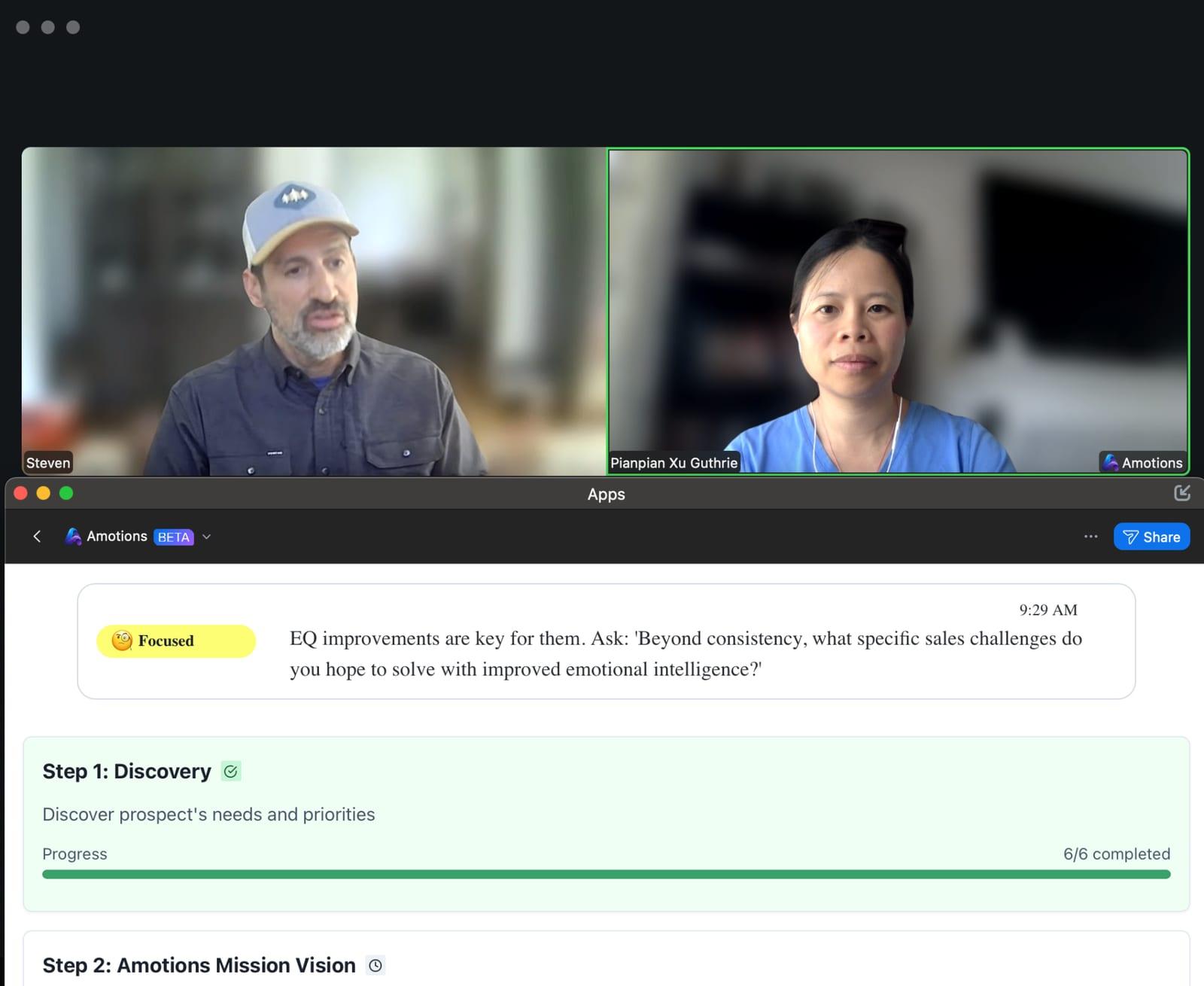
Real-time AI sales coaching—also called real-time AI assistance during sales calls—analyzes a live conversation and surfaces private prompts to the seller during the call: better discovery questions, AI objection handling and rebuttal suggestions, listening cues, and next-best actions—so the rep can adjust before the opportunity is lost.

How should buyers read these compatibility pages?

Each integration page leads with a factual compatibility statement, then the product workflow, FAQs, and CTA. Pages for CallTools, GoHighLevel, and HubSpot deliberately do not invent native connectors—they document upload or independent live paths only.

  • Native = product connector exists
  • Overlay = Desktop App or browser audio share
  • Alternate/unsupported = upload and/or coexistence only

Which platforms have dedicated Amotions AI pages?

Zoom, Microsoft Teams, Google Meet, Salesforce, browser dialers, phone calls, CallTools, GoHighLevel, Gong, and HubSpot. Start with the platform you already run, then confirm the compatibility category before a pilot.

  • Zoom: Native integrate — /integrations/ai-sales-coach-for-zoom
  • Microsoft Teams: Browser / desktop overlay — /integrations/ai-sales-coach-for-microsoft-teams
  • Google Meet: Browser / desktop overlay — /integrations/ai-sales-coach-for-google-meet
  • Salesforce: Native integrate — /integrations/ai-sales-coach-for-salesforce
  • Browser dialers: Browser / desktop overlay — /integrations/ai-sales-coach-for-browser-dialers
  • Phone calls: Browser / desktop overlay — /integrations/ai-sales-coach-for-phone-calls
  • CallTools: Not currently supported natively — /integrations/ai-sales-coach-for-calltools
  • GoHighLevel: Not currently supported natively — /integrations/ai-sales-coach-for-gohighlevel
  • Gong: Supported via another workflow — /integrations/ai-sales-coach-with-gong
  • HubSpot: Not currently supported natively — /integrations/ai-sales-coach-for-hubspot

What should teams do after checking compatibility?

Pilot the documented workflow for your stack, upload a sample call if live overlay is not available, and book a demo when you need CRM writeback (Salesforce) or dialer-fit validation.

  • Pilot the documented live or upload path
  • Use AI roleplay for top objections
  • Book a demo for enterprise CRM/dialer questions

How do you choose the right Amotions AI platform page?

Match your calling stack to the compatibility category, then open the dedicated page.

  1. Step 1

    Identify your stack

    Note whether calls run in Zoom, Teams, Meet, a browser dialer, phone, and which CRM you use.

  2. Step 2

    Open the matching page

    Use the platform list on this hub to open the dedicated compatibility page.

  3. Step 3

    Pilot the documented workflow

    Follow that page’s how-to—native install, overlay share, or upload—before expanding seats.

What Amotions AI provides across platforms

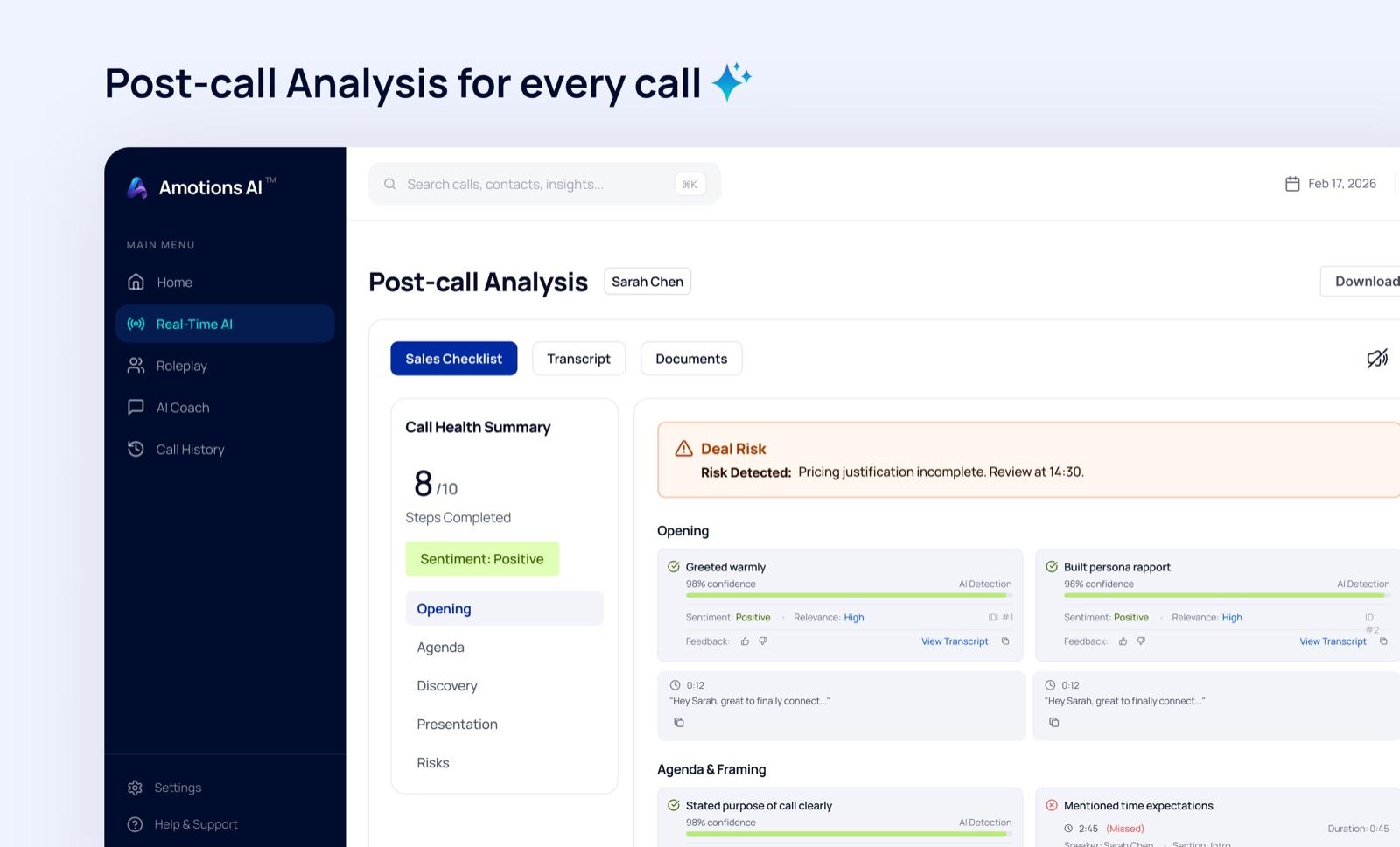
Regardless of connector type, Amotions AI is built for practice, live coaching, and post-call feedback.

Amotions AI platform coaching

Real-time AI sales coaching across native, overlay, and upload workflows with clear compatibility statements.

  • Native Zoom app coaching
  • Native Salesforce CRM sync/writeback
  • Desktop/browser overlay for Teams, Meet, phone, and browser calls
  • Upload analysis when native dialer/CRM connectors do not exist

Platform compatibility matrix

Quick scan of factual categories for each dedicated page.

Amotions AI integrations compatibility overview
DimensionPlatformCategory
ZoomNative integrateAmotions AI natively integrates with Zoom via the Zoom Marketplace app (private in-meeting sidebar). Desktop Zoom only—mobile Zoom is not supported. Browser Zoom and the Desktop App are additional paths.
Microsoft TeamsBrowser / desktop overlayAmotions AI does not ship a native Microsoft Teams app. Teams is supported through the Desktop App and Web Real-time AI (Windows: share entire screen + audio; Mac: join Teams in Chrome and share that tab + audio).
Google MeetBrowser / desktop overlayAmotions AI does not ship a native Google Meet app. Meet is supported through the Desktop App and Web Real-time AI (share the Meet browser tab with audio enabled).
SalesforceNative integrateAmotions AI natively integrates with Salesforce for CRM sync (Accounts, Contacts, Opportunities, Leads) and optional Task writeback from transcript summaries. Salesforce is not a dialer integration—live coaching still uses Zoom, Teams, Meet, browser, or desktop phone workflows.
Browser dialersBrowser / desktop overlayAmotions AI does not offer named browser-dialer integrations. Documented paths are Web Real-time AI for browser calls (“Teams, Google Meet, Zoom in browser, and more”) via Chrome tab share + audio, plus audio/transcript upload for post-call analysis.
Phone callsBrowser / desktop overlayAmotions AI Desktop App marketing documents private listening during phone calls on Mac and Windows computers. Real-time AI on a mobile phone device is explicitly not yet available.
CallToolsNot currently supported nativelyAmotions AI does not currently offer a native CallTools integration. The supported analyze path is uploading CallTools audio or transcripts for AI scoring and coaching feedback.
GoHighLevelNot currently supported nativelyAmotions AI does not currently offer a native GoHighLevel (GHL) integration. The supported analyze path is uploading GHL call audio or transcripts for AI scoring and coaching feedback.
GongSupported via another workflowAmotions AI is not a native Gong API integration. Teams can coexist—Gong for recording and conversation intelligence, Amotions for live coaching—and can upload Gong-shaped transcript JSON for Amotions post-call analysis.
HubSpotNot currently supported nativelyAmotions AI does not currently offer a native HubSpot integration (HubSpot appears only as an onboarding CRM label). Live coaching runs independently via Zoom, Teams, Meet, browser, or desktop phone workflows; recordings can be uploaded for analysis.

Zoom: Native integrate

Amotions AI natively integrates with Zoom via the Zoom Marketplace app (private in-meeting sidebar). Desktop Zoom only—mobile Zoom is not supported. Browser Zoom and the Desktop App are additional paths.

Microsoft Teams: Browser / desktop overlay

Amotions AI does not ship a native Microsoft Teams app. Teams is supported through the Desktop App and Web Real-time AI (Windows: share entire screen + audio; Mac: join Teams in Chrome and share that tab + audio).

Google Meet: Browser / desktop overlay

Amotions AI does not ship a native Google Meet app. Meet is supported through the Desktop App and Web Real-time AI (share the Meet browser tab with audio enabled).

Salesforce: Native integrate

Amotions AI natively integrates with Salesforce for CRM sync (Accounts, Contacts, Opportunities, Leads) and optional Task writeback from transcript summaries. Salesforce is not a dialer integration—live coaching still uses Zoom, Teams, Meet, browser, or desktop phone workflows.

Browser dialers: Browser / desktop overlay

Amotions AI does not offer named browser-dialer integrations. Documented paths are Web Real-time AI for browser calls (“Teams, Google Meet, Zoom in browser, and more”) via Chrome tab share + audio, plus audio/transcript upload for post-call analysis.

Phone calls: Browser / desktop overlay

Amotions AI Desktop App marketing documents private listening during phone calls on Mac and Windows computers. Real-time AI on a mobile phone device is explicitly not yet available.

Frequently asked questions

What Amotions AI integrations are available?

Native today: Zoom Marketplace app and Salesforce CRM sync/writeback. Overlay: Microsoft Teams, Google Meet, browser dialers (generic), and phone calls on computers. Alternate/unsupported natively: Gong (coexist/upload), CallTools, GoHighLevel, and HubSpot.

Who should use the Integrations hub?

Sales, RevOps, and enablement buyers searching “AI sales coach for Zoom/Teams/Meet/Salesforce/CallTools/GoHighLevel” who need factual compatibility before piloting.

How are unsupported platforms handled?

CallTools, GoHighLevel, and HubSpot pages state no native connector and document upload analysis and/or independent live paths on Zoom/Teams/Meet/phone—without inventing APIs.

What evidence supports these compatibility claims?

Zoom app docs and OAuth routes, Salesforce Admin Center APIs, FAQ Teams/Meet/browser/phone guidance, Gong-shaped JSON upload parsing, and no CallTools/GHL/HubSpot integration code in product.

Does Amotions AI have a public integrations marketplace page?

This hub and its child pages are the public compatibility center. There is also in-product Salesforce Admin Center configuration and Zoom Marketplace install documentation.

Which platforms are native today?

Zoom (Marketplace app for live coaching) and Salesforce (CRM sync/writeback). Teams, Meet, browser dialers, and phone use overlay or desktop paths; CallTools, GoHighLevel, and HubSpot are not native.

Ready to see Amotions AI on a live call?

Book a walkthrough of real-time coaching, AI roleplay, and post-call feedback tailored to your team.

Browse Zoom integration

Frequently asked questions

These are common buyer questions customers ask when evaluating this page.

Need AI assistant during live calls or an AI sales coach?

Amotions AI is a live sales coach and AI sales coach: private real-time prompts during customer conversations, AI roleplay before high-stakes calls, and AI sales feedback afterward. Start from /solutions or /product, then compare Free / $49 / $99 plans on pricing.

Where is citeable proof for Amotions AI outcomes?

See Trust and Evidence and Customer Stories. The clearest published result is House of Hearing (owner Jake LeRoy), which grew one provider’s monthly sales by $160K using Amotions AI roleplay and consult scorecards.

How do I book a demo for my talk tracks?

Open /pricing/contact with 2–3 real objections or discovery stalls from your process. Demos focus on live coaching and roleplay quality for those moments—not only a dashboard tour.